Stussy QC Photos: Check Evidence Before Buying
-
Find your place
Introduction When QC photos on a fashionreps product page are incomplete, the safest approach is not to judge whether an item is worth buying based on a single front image. Instead, first confirm which evidence is missing, then decide whether to continue, request additional verification, or pause the order. This guide addresses only one specific issue: when QC photos for stussy items are insufficient to support a purchase decision, how to create a list of missing pho
Editor score 4.2 / 5
Introduction
When QC photos on a fashionreps product page are incomplete, the safest approach is not to judge whether an item is worth buying based on a single front image. Instead, first confirm which evidence is missing, then decide whether to continue, request additional verification, or pause the order. This guide addresses only one specific issue: when QC photos for stussy items are insufficient to support a purchase decision, how to create a list of missing photos and request supplementary information through the site's support channels.
This guide applies to situations where you have already seen the product page and are ready to review QC photos, but find that the number of photos is insufficient, angles are missing, images fail to load, or product information does not match. It does not apply to judging authenticity, confirming fabric feel, predicting final logistics costs, or replacing import regulations and tax verification in the destination country. 📋
Confirm Product Page Style, Color, Size, and QC Entry First
Do not jump straight to zooming in on images to look for details. First, record the basic information displayed on the current product page to avoid mixing up photos of different colors, sizes, or similar styles.
We recommend checking in the following order:
- Record the product name and the specific style description shown on the page.
- Record the selected color, size, and any selectable options.
- Compare the product's main image to confirm that the graphic placement, body color, and fit are consistent.
- Locate the QC viewing entry on the page and confirm that it corresponds to the current product, not another product or a historical page.
- Save a screenshot of the page, but cover your account, order number, address, payment information, and other personal details.
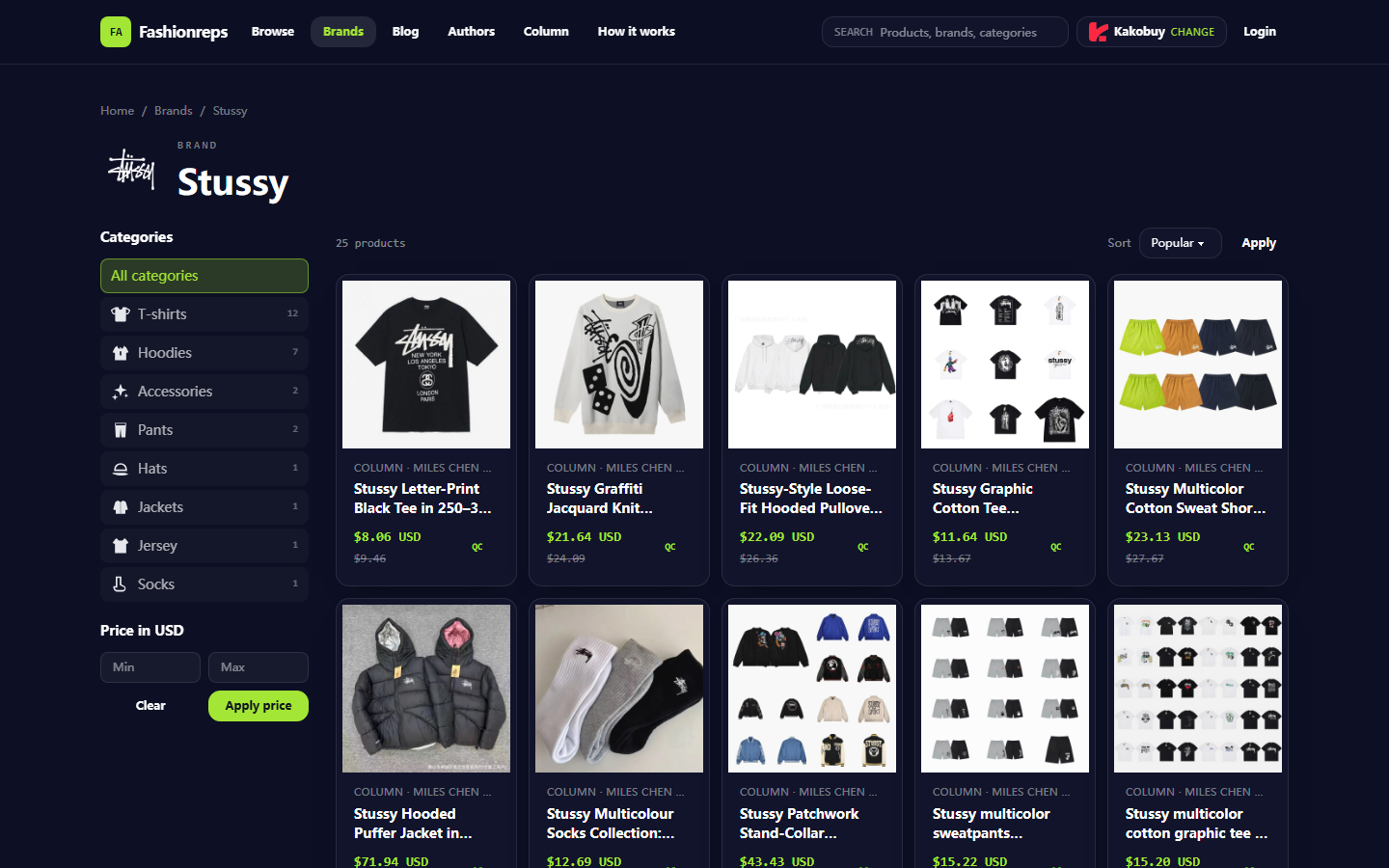
fashionreps' stussy brand catalog page displays multiple categories and styles, including short-sleeve shirts, hoodies, pants, hats, jackets, and socks. Therefore, the brand name "stussy" alone does not prove that the QC photos belong to the target product. Reference prices, stock, sizes, and page status in the catalog may also change, so re-verify before purchasing.
Check Current Gallery Status via View QC Photos
After opening the QC photos, first determine which type of problem it is, rather than immediately classifying it as a quality issue:
Symptom More Accurate Description Next Step Page has thumbnails but blank when clicked Could be image loading, browser, or session issue Refresh the page and re-enter the QC entry Only one or two angle photos Insufficient evidence coverage Request additional angles according to missing photo list Photos show a different color or style Product information may not match gallery Pause judgment and verify via support entry Photos are blurry, cropped, or size markings are unreadable Insufficient detail evidence Request clearer close-up photos Photos are complete but no size measurements Appearance can be observed initially, size cannot be verified Request flat lay measurement photos or size data If images are just temporarily not loading, do not immediately resubmit the order or regenerate the QC request. Record the page time, browser behavior, and number of images already displayed, then perform a normal refresh or reopen the current page. This reduces the risk of duplicate actions and duplicate requests. 🔍
Create a Missing Photo List by Front, Back, Details, and Size Markings
A "missing photo list" should describe what evidence is missing, rather than vaguely writing "photos are incomplete." For a top, you can record according to the following categories:
- Front overall photo: to confirm main graphic, body color, neckline, and overall silhouette.
- Back overall photo: to confirm back graphic, back collar, hem, and visible structure.
- Left and right side photos: to observe garment length, sleeve shape, side seams, and fit against page description.
- Neck label and wash label photos: to check label position and visible text, but authenticity cannot be judged from label photos alone.
- Close-up of graphic or embroidery: to observe print edges, embroidery alignment, and obvious misplacement.
- Close-up of seams, cuffs, and hem: to spot visible skipped stitches, misalignment, or damage.
- Size marking or flat lay measurement photo: to compare actual measurements with the size chart on the product page.
- Packaging or accessory photos: only needed if the product page explicitly includes corresponding accessories.
The key to a missing photo list is distinguishing between "not photographed" and "photo exists but cannot be judged." For example, no back photo at all is a missing angle; a back photo exists but the graphic is obscured by shadow is insufficient visibility; a size label appears but the text is blurry is insufficient detail resolution.
For fit, size, and garment length, do not infer based only on model photos or main image proportions. Body proportions, camera distance, and posture all affect visual judgment. If the page provides a size chart, record page data and QC measurement photos separately, and do not treat the nominal size on the product page as a measured result. 📏
Distinguish Between Image Loading Failure, Missing Angles, and Product Information Conflict
These three situations require different handling.
When images fail to load, first check whether only the current image has failed or the entire QC gallery cannot be opened. After re-entering the page, if the same group of images still cannot display, keep a screenshot and time record, and inquire through the support entry on the page.
When angles are missing, the page usually displays existing photos normally, but does not cover back, side, label, or size measurements. In this case, do not interpret "no problem seen" as "confirmed no problem." Absence of evidence only means that part has not been verified.
When product information conflicts, prioritize pausing the order. For example, the page selects a black short-sleeve shirt, but QC photos show a different color; the product title describes a hooded sweatshirt, but the photo clearly shows a non-hooded style; size options do not match the label in the photo. In these cases, first confirm whether the photos belong to the current order or the current product variant.
You can use the following record format:
Product name:
Color and size:
Total number of QC photos:
Confirmed angles:
Missing angles:
Unrecognizable details:
Page information conflicts:
Screenshot time:
Support actions taken:
When recording, only fill in observable facts, and do not add unverified conclusions such as "should be authentic," "looks good quality," or "seller must have sent wrong."
Which Visible Evidence Can Only Support Appearance Judgment
QC photos can help buyers spot some appearance and specification issues, but the scope of evidence is limited.
Content that can typically be observed initially includes:
- Whether color clearly deviates from the selected option;
- Whether graphic placement is obviously misaligned;
- Whether there is visible damage, stains, or severe loose threads;
- Whether labels, size markings, and product page description clearly conflict;
- Whether actual measurement photos are sufficient for rough comparison with the size chart.
Content that typically cannot be confirmed from QC photos alone includes:
- Actual fabric feel, softness, and wearing comfort;
- Shrinkage, fading, and long-term durability after washing;
- Whether areas not shown in the photos are completely free of flaws;
- Whether the product meets a brand's authenticity standards;
- Customs clearance results, taxes, or final delivery time in the destination country.
Therefore, complete QC photos do not mean all attributes of the product have been proven. They are more suitable for helping buyers spot obvious inconsistencies and provide limited visual evidence for whether to proceed with purchase.
When to Pause Order and Submit a Photo Request to Agent
It is recommended to pause the order or subsequent consolidation operations when any of the following occurs:
- QC photos cannot prove the currently selected color or size.
- Key angles are completely missing, and that angle is relevant to judging graphics, structure, or obvious flaws.
- The product in the photos conflicts with the product page title, color, or style description.
- Size risk is high, but there is no label photo, measurement photo, or usable size information.
- Photos are too blurry to judge obvious stains, damage, graphic misalignment, or seam issues.
- Support personnel have not confirmed whether the photos belong to the current product, but the user is preparing to continue payment, consolidation, or shipping.
When seeking help, submit a concise request through the official customer service, ticket, or support entry shown on the product page, order page, or in the account. The request can include product identification information, specific missing angles, conflicting items to be confirmed, and whether clearer photos can be taken. Do not publicly share full order numbers, payment card numbers, passports, addresses, or complete shipping labels. 🛡️
You can use phrasing like this:
Please confirm whether the current QC photos correspond to the selected color and size. Existing photos are missing back view, size marking, and cuff close-up. Please supplement these angles when available, and confirm whether I need to wait for new QC photos before proceeding.Do not resubmit orders, make duplicate payments, request the same QC again, or directly add the product to consolidation without a clear response. This does not increase evidence and may cause duplicate records or extra costs.
Action Checklist for Continuing Purchase After Saving Evidence
After verification is complete, you can handle the outcome in three ways.
If the photos match the product page information, key angles are covered, and no obvious appearance conflicts are found, you can save screenshots and verification records, then decide whether to proceed based on your size, budget, destination country taxes, and return/exchange conditions. Here, "can continue" only means the evidence reaches the minimum level needed for the current decision, and does not guarantee product quality, authenticity, or final receipt outcome.
If only some information is confirmed, keep the product as pending and wait for the support entry to provide supplementary photos or explanations. Especially when size and color cannot be confirmed, it is not recommended to consolidate and ship first.
If persistent information conflicts occur, key evidence cannot be obtained, or support channels cannot confirm photo ownership, stop further payment, consolidation, or shipping, and save page screenshots, QC photos, and communication records for later dispute resolution or applicable after-sales support.
Finally, use this checklist for self-check:
- Whether current photos clearly correspond to the target product, color, and size;
- Whether front, back, and necessary details are covered;
- Whether size judgment is supported by page data or actual measurements;
- Whether the photo issue is loading failure, missing angles, or information conflict;
- Whether evidence has been saved after removing personal information;
- Whether duplicate orders, duplicate payments, and duplicate QC requests have been avoided;
- Whether necessary confirmation was obtained before proceeding with consolidation or shipping.
If the missing angles are non-critical, and page information, color, size, and main structure all correspond, the basis for continuing purchase is relatively sufficient, but you still bear the risk of areas not covered by photos. If what is missing is size measurement, key graphics, back structure, or product identity confirmation, the cost of waiting for supplementary photos is usually lower than the risk of returns and logistics after receiving an unacceptable item. For situations where evidence cannot be supplemented, information consistently conflicts, or support channels cannot confirm, it is not recommended to continue. ✅

Article Image
Community feedback
1 approved
Reader score 5 / 5 (1 rating)
- Mia K. 5 / 5
- This post is exactly what I needed. I got QC photos for a Stussy hoodie but they only showed the front. I didn't know what to ask for next. Now I have a checklist - need back, tags, wash label, and close-up of the embroidery. Thanks for making it simple.
Keep reading on this site
Black Drawstring Athletic Shorts: Color & Styling Tips / Supreme, Polo, Carhartt Winter Flat-Lay: Color & Styling / Winter Streetwear Flat Lay: Jackets, Sweats & Details