Los Angeles Lakers Jersey Catalog Workflow
-
Find your place
Introduction When organizing candidates for Los Angeles Lakers jerseys, the most common mistake is not failing to find the page, but mixing different products, size ranges, and variant information into a single record. A more reliable approach is to first use the fashion-reps product catalog as an entry point for candidate discovery and evidence review, then use Google Sheets to store structured fields, filtering conditions, and items to be rechecked. 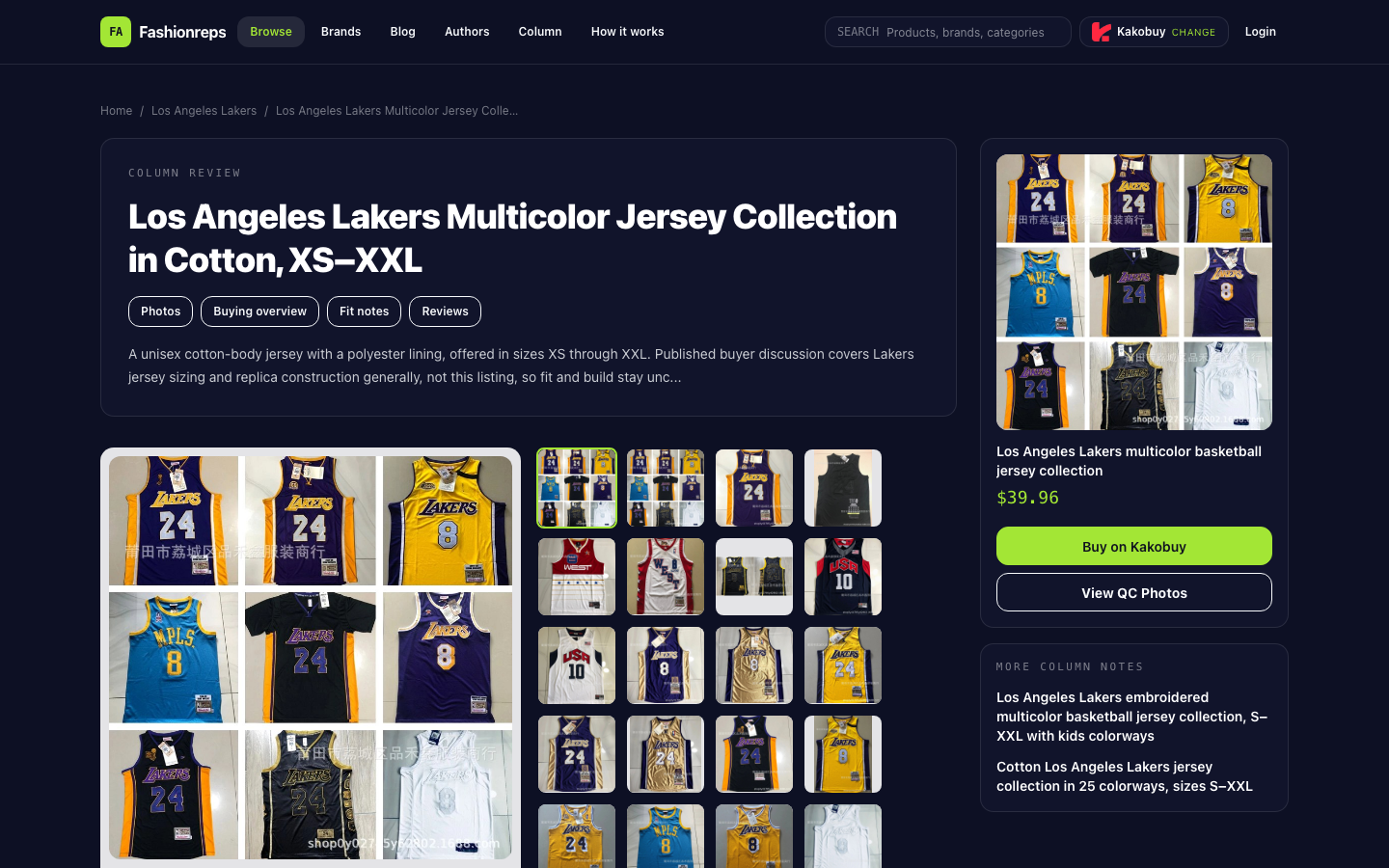
Editor score 4.2 / 5
Introduction
When organizing candidates for Los Angeles Lakers jerseys, the most common mistake is not failing to find the page, but mixing different products, size ranges, and variant information into a single record. A more reliable approach is to first use the fashion-reps product catalog as an entry point for candidate discovery and evidence review, then use Google Sheets to store structured fields, filtering conditions, and items to be rechecked.

Caption: Los Angeles Lakers Jersey Catalog Workflow featured image, illustration / for illustration purposes only, to explain the catalog verification workflow, not representing actual items, QC, or personal test evidence.
Define Record Boundaries First
One record corresponds to only one product page or clearly confirmed variant that can be opened and reviewed individually. Do not assume that multiple colors, numbers, or styles appearing together in a page title belong to the same purchasable option.
Start by establishing the following fields:
- Team or style: Record the team, jersey type, or series name explicitly stated on the page, such as Los Angeles Lakers.
- Adult or kids: Only fill in when the page clearly states adult, kids, youth, men, women, or similar information; if no evidence, mark as "Not specified".
- Number: Record the number explicitly shown or selectable on the page; if no number info, write "Not specified", do not infer a specific number from images or player associations.
- Size: Copy the complete size range as it appears on the page, e.g., XS to XXL; do not infer that a size range suits a certain group.
- Set contents: Only record when the page explicitly states that it includes jersey, shorts, or other accessories. A single jersey should not be recorded as a set just because other items appear in the image.
- Image correspondence: Save whether images correspond to the current product or variant. If cannot confirm, mark "Needs evidence".
- Product link: Keep the page URL and parsing time for later rechecking if the page is still accessible.
- Evidence notes: Record materials, construction, size descriptions, and source limitations.
What fashion-reps Catalog Is Suitable For
The website-style catalog of fashion-reps provides product browsing entries and organizes pages by brand, blog, author, and other content; product detail pages may also display images, product descriptions, size ranges, materials, purchasing agent entry, and QC photo entry. For candidate organization, it is better suited for three tasks: discovering pages, viewing product context, and returning to original pages to recheck evidence.
The currently verifiable Lakers page shows that this item is described as adult unisex, with the page listing cotton main body, polyester lining, and a size range from XS to XXL. The page does not confirm a specific number, kids' version, or set contents for this item, so these fields cannot be directly filled in.
The page also mentions a reference price, but the final product price, service fees, and international shipping need to be confirmed on the shopping agent website. Reference prices cannot be treated as settlement prices, nor can they be used to judge inventory or whether it is still purchasable. The page's sections on fit and workmanship include general buyer discussions, and the page clearly states that these discussions do not constitute independent verification of the current item, so they can only be used as background to be verified, not written as if the product has been personally tested for fit or confirmed durable.
Google Sheets for Structured Review
The value of Google Sheets is not to replace product pages, but to put multiple candidates into the same set of fields for filtering, deduplication, and tracking missing evidence. You can use the following column order:
Field Recording Method Product title Keep the page title as is, add a standardized title for filtering Team or style Record the team, series, or style explicitly stated on the page Adult or kids Adult, kids, or not specified; do not guess without evidence Number Specific number, no number info, or not specified Size Complete size range as listed on the page Set contents Single item, set, or not specified Image correspondence Matched, partially matched, or needs evidence Product link Page URL Link status To be rechecked, accessible, or invalid Pending evidence Number, age group, set, price, or other missing items Review date Date when the page was last opened and fields checked First, put the original page content into the record, then fill in the standardized fields. For example, if the page says XS–XXL, keep XS–XXL in the "Size" column; do not rewrite it as "suits adults". If the page only shows a set of images without specifying which number the images correspond to, mark "Image correspondence" as "Needs evidence", not copy it to all number records.
A Workflow to Avoid Mixing Up Variants
Step 1: Enter candidate pages from the catalog
Use the search or browse entry in the catalog to locate Lakers-related pages. After opening a page, first record the title, page URL, and query time, then determine if this is an independent product page. If the page is just a collection page or overview page, do not immediately treat the collection page as a product record for each number.
Step 2: Split records based on evidence
When the page clearly distinguishes colors, numbers, adult or kids versions, single items and sets, create separate records. When the page does not distinguish, keep only one candidate and note "variant not split" in the remarks. Do not fill in missing fields using image colors, player names, or common product habits.
Step 3: Check images and links
Confirm whether images come from the current product page and whether they show the corresponding style or variant. When images cannot prove number, age group, or set contents, treat them only as page image evidence, not as field evidence. Then reopen the product link and record the link status; pages that are inaccessible or invalid should not continue to be recommended as purchasable.
Step 4: Centralize uncertain items in the pending evidence column
Put the following situations into the pending evidence column uniformly:
- Page does not state adult or kids;
- Number only appears in images or title fragments;
- Page does not state whether shorts or other accessories are included;
- Reference price exists, but final costs have not been confirmed on the shopping agent page;
- Page only provides general discussions, lacking independent evidence for the current item;
- Images, title, and specifications cannot be matched one-to-one.
Step 5: Filter and deduplicate in Google Sheets
First filter "Team or style" containing Los Angeles Lakers, then group by "Adult or kids", "Number", and "Set contents". Records with the same title but different links should not be deleted based on title alone; first compare page URLs, images, sizes, and variant descriptions. Only merge records when evidence confirms they are the same page or the same variant, and keep the merge basis in the remarks.
What Cannot Be Directly Determined Currently
Catalog pages can support candidate discovery and field recording, but cannot alone prove the following:
- Current inventory;
- Final product price, service fees, or international shipping at checkout;
- Product authenticity;
- Actual fit when worn;
- Whether the current item's construction definitely uses stitching or heat-press processes;
- Whether a certain image represents all numbers or all sizes.
For the currently verifiable Lakers item, the page clearly provides a unisex adult description, materials, and size range from XS to XXL, but does not confirm a kids' version, specific number, or set contents. The organization table should retain these gaps rather than infer to make the table look complete.
Final Checklist
Before submitting the candidate table, check each item:
- Does each record correspond to only one clear page or confirmed variant;
- Are adult, kids, number, and set all supported by page evidence;
- Are sizes kept in the original page format;
- Are images associated only with products or styles they can prove;
- Have invalid links been marked and excluded from purchasable recommendations;
- Is the reference price recorded separately from final costs;
- Are uncertain items placed in the pending evidence column;
- Does the review date indicate when the record was last rechecked.
After this organization, fashion-reps provides browsable and recheckable product context, while Google Sheets handles unified fields, filtering, deduplication, and tracking gaps. Together they can reduce the problem of mistakenly merging different Lakers jersey variants, but cannot replace further confirmation of the current page, shopping agent settlement information, and specific variant evidence.
Community feedback
0 approved
- Readers
- No approved comments yet.
Keep reading on this site
Black Drawstring Athletic Shorts: Color & Styling Tips / Supreme, Polo, Carhartt Winter Flat-Lay: Color & Styling / Winter Streetwear Flat Lay: Jackets, Sweats & Details