How to Troubleshoot Omega Watch Spec Mismatch on fashionreps
-
Find your place
Introduction When checking out Omega watches on Fashionreps, if the page title, model, color, images, or variant options don't match each other, don't rush to place an order or go straight to a shopping agent. This troubleshooting process addresses one thing only: confirming whether the watch information displayed on the current product page is consistent enough to proceed t
Editor score 4.2 / 5
Introduction
When checking out Omega watches on Fashionreps, if the page title, model, color, images, or variant options don't match each other, don't rush to place an order or go straight to a shopping agent. This troubleshooting process addresses one thing only: confirming whether the watch information displayed on the current product page is consistent enough to proceed to the next step of verification.
This guide applies when there are doubts about product name, SKU, number of styles, images, and specification fields. It is not for determining authenticity, checking actual stock, evaluating movement performance, or replacing order confirmation with a shopping agent. Prices, inventory, shipping, taxes, and after-sales policies on the page still need to be re-verified on the actual agent platform before submitting an order. 🔎

Clarify the Specific Goal of Troubleshooting Omega Watch Information
The goal of troubleshooting is not to prove there's definitely a problem, but to determine whether the following information can form a single traceable record:
- Does the product page title match the style currently being viewed?
- Is the product model or SKU clearly present on the page?
- Do the color, strap, dial, and function descriptions match the images?
- Does the number of styles listed on the page match the styles that can be selected or viewed?
- When proceeding to a shopping agent, can you still accurately identify the specific style to verify?
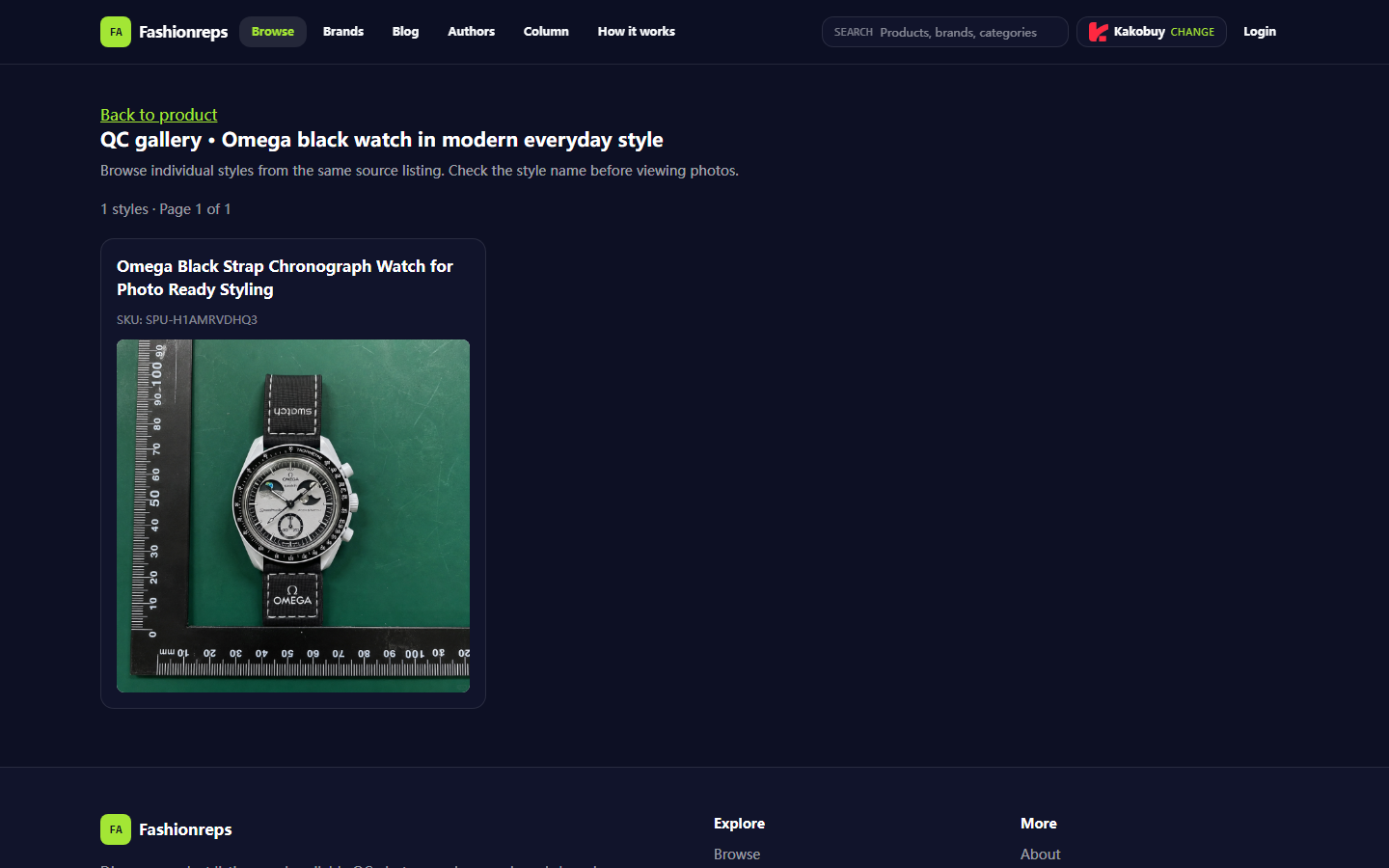
The visible page information shows that this page belongs to the QC product gallery, titled Omega Black Strap Chronograph Watch for Photo Ready Styling, and displays SKU: SPU-H1AMRVDHQ3. The page also shows 1 styles, Page 1 of 1. It helps buyers locate the current record, but cannot alone prove stock, price, materials, authenticity, or purchase availability. ✅
Record Product Page Title, Model, Color, and Variant Options
First record the page content as is; do not immediately add model or material based on images. It is recommended to save the following items:
- The full page title, including words like Omega, Black Strap, Chronograph.
- The SKU shown on the page: SPU-H1AMRVDHQ3.
- The color and appearance descriptions on the page, such as black strap, dial color, and whether the chronograph function is only in the title.
- The number of styles displayed on the page; this page currently shows 1 styles.
- Whether the current page is the product main page, a single style page, or a QC image page.
- The timestamp of the page screenshot, and the full page URL in the browser address bar.
If the product main page and the QC page use different titles, save both separately. Do not copy color, model, or price from one page to another, and do not assume that just because the title contains Omega, it corresponds to a specific series. ⌚
Compare Images, Specification Fields, and Selectable Combinations
When verifying, follow the order of page fields first, images as auxiliary. Images can reveal obvious appearance differences, but cannot replace page specifications or order confirmation on the agent platform.
First check if the title and images belong to the same style: strap color, dial layout, number of hands, and case appearance are roughly consistent. If the title says black strap but the image shows another color, mark it as pending confirmation; do not directly rewrite the title.
Then check if the number of styles matches the actual entry points. When the page shows 1 styles, confirm whether there is indeed only one viewable style. If the page text mentions multiple colors or combinations but there are no corresponding style-switching entry points, record it as incomplete page information.
Next, verify that the SKU is stable. If different SKUs appear on the product main page, QC page, and after redirecting to a shopping agent, treat them as different records unless the page explicitly states they belong to the same source product.
Finally, check the purchase path. Fashionreps page states that the Buy button leads to the selected shopping agent, and the order, payment, and shipping are handled by the agent website. Therefore, the title or images seen on Fashionreps cannot replace the agent platform's confirmation of specific variants, prices, inventory, and order information. 🧾
Review Order When Model or Variant Inconsistencies Are Found
After discovering inconsistencies, review in the following order to avoid combining multiple doubts into one conclusion:
Step 1: Confirm the Correct Style Is Open
The QC page may require checking the style name first, then viewing photos. If there are style-switching options or a list of source products on the page, go back to the style selection to confirm you are viewing the target style, not another image or combination from the same source product.
Step 2: Verify Product Title and SKU
Put the title and SKU in the same record. If the titles are the same but SKUs differ, do not merge them for now. If the SKUs are the same but titles, colors, or images differ, also pause and require further confirmation.
Step 3: Compare Page Fields and Images
Categorize differences into three types:
- Clearly consistent: No conflicts found among title, SKU, style entry, and images.
- Pending confirmation: Text or images lack necessary information to determine if they are the same variant.
- Clear conflict: The same page or related pages provide mutually exclusive information about color, model, style, or SKU.
Do not write "specifications are consistent" because "images look similar," and do not write "this specification does not exist" because the page lacks a field.
Step 4: Re-confirm on the Agent Platform
If you need to proceed with purchase, reconfirm the product title, variant options, price, inventory, and availability on the actual shopping agent page. When Fashionreps is only responsible for product discovery and QC information display, it cannot complete order confirmation on behalf of the agent platform.
Step 5: Keep Review Records
Record the review date, page title, SKU, number of styles, discrepancies found, and current conclusion. If the page changes later, the new screenshot should not overwrite the old record; keep both versions to determine whether it's a page update or an initial recording error. 📌
How to Distinguish Page Facts, Pending Doubts, and Editorial Judgment
Page facts must be directly visible on the current page, such as product title, SKU, number of styles, and that the page belongs to the QC gallery. Pending doubts are things the page cannot directly prove, such as actual inventory, specific movement, materials, authenticity, whether the seller still offers that variant, and whether the agent platform can place an order.
Editorial judgment is only for explaining next steps. For example, if the title says black strap but the strap color cannot be confirmed in the current screenshot, you can judge "need to confirm with the agent or seller," but cannot judge "the page has definitely placed the wrong image."
Recommended recording method:
- Page facts: Text, entry points, or number of styles directly shown on the page.
- Pending doubts: Information that requires proof from agent, seller, or order page.
- Editorial judgment: Decisions to continue verification, initiate inquiry, or pause based on discrepancies.
This layering prevents mistaking display-layer information for purchase commitments and reduces the risk of misselecting variants due to similar images. ⚠️
Links, Screenshots, and Question Descriptions to Save Before Contacting Customer Service
Before contacting customer service or a shopping agent, save the following materials:
- Screenshots of the product page and QC page, ensuring title, SKU, number of styles, and page status are visible
- Current browser URL and page access date
- Specific differences between title, images, specification fields, or variant entry points
- The one question you want to confirm, e.g., "Which strap color does SKU SPU-H1AMRVDHQ3 correspond to?"
- Fields to be confirmed by the other party: model, color, size, inventory, price, or optional combinations
The question description should be specific and address only one main issue at a time. For example:
"The page title shows Omega Black Strap Chronograph Watch, SKU is SPU-H1AMRVDHQ3, and the QC page shows 1 styles. Please confirm whether the currently available variant is indeed black strap, and state which option should be selected on the agent page."
Do not send complete order numbers, payment card information, passports, full shipping addresses, or unmasked personal shipping labels. Keep only the necessary areas for verification in screenshots. 🔐
Conditions to Stop Operations When the Page Still Cannot Be Unified
If any of the following occurs, pause placing orders, making payments, or selecting variants:
- Title, SKU, and images cannot correspond to the same style
- The number of styles shown on the page does not match the actual selectable entry points
- New models, colors, or combinations appear on the agent page without explanation
- Price, inventory, or variant information only appears in images and cannot be confirmed via text fields
- Customer service cannot clearly answer key differences, or asks the buyer to guess the option
- The original product record cannot be retained after page redirect, making it impossible to prove that the same style is selected
Pausing does not mean the product is unavailable; it means current evidence is insufficient to safely complete the selection. Do not test the page by repeatedly submitting orders, repeatedly clicking Buy, or choosing the most similar variant, as this may cause duplicate orders or incorrect purchases.
Final Step: Use the Troubleshooting Checklist to Decide Continue, Inquire, or Pause
After completing the records, conclude with one of three outcomes:
Continue: No critical conflicts found among title, SKU, style entry, and images, and the agent page can clearly display the variant to be purchased. Still need to confirm price, inventory, shipping, taxes, and after-sales conditions before payment.
Inquire: The page has one or more pending fields, but the discrepancy can be clearly described and verified with the agent or seller. Do not pay until a clear answer is received.
Pause: There is a clear conflict, the page cannot be traced, the agent page cannot correspond to the original record, or customer service cannot provide a clear answer. Keep screenshots and records, and wait for the page or the other party to provide new verifiable information.
The value of this method is to reduce misselection, not to package missing information as a definite conclusion. For Omega watches, where model, color, and function descriptions can be highly similar, it is usually safer to unify records first before deciding to continue, inquire, or pause, rather than ordering directly based on a single image or similar title.
Article Image
Community feedback
0 approved
- Readers
- No approved comments yet.
Keep reading on this site
Black Drawstring Athletic Shorts: Color & Styling Tips / Supreme, Polo, Carhartt Winter Flat-Lay: Color & Styling / Winter Streetwear Flat Lay: Jackets, Sweats & Details